LifePoints India Review 2026: Earn Amazon, Flipkart, Nykaa & PhonePe E-GiftCard by Sharing Your Opinion
Have you ever wished your opinions actually mattered? Like, what if telling a brand exactly what you think about their product could put some extra cash in your pocket?
That’s exactly what LifePoints does.
I’ve been using this platform for a while now, and honestly? It’s one of those rare “too good to be true” things that actually turns out to be legit. Let me walk you through everything you need to know about earning real rewards in India through LifePoints.
So What Exactly Is LifePoints?
Think of LifePoints as a bridge between you and big brands who desperately want to know what you think.
Companies are constantly developing new products—from that face wash you saw on Instagram to the packaged snacks at your local kirana store. But here’s the thing: they have no idea if people will actually buy them. That’s where you come in.
LifePoints is basically a global community of people (over 5 million members and counting!) who share their honest opinions through surveys . In return, you get reward points that turn into real vouchers and cash .
And the best part? It’s run by Kantar, a legit market research company that’s been around since 1946 . So no, it’s not some fly-by-night scam.
Why Indians Are Flocking to LifePoints
Here’s what makes this platform actually useful for us in India:
| Feature | What It Means For You |
|---|---|
| Local rewards | Amazon.in, Flipkart, Myntra, Nykaa, Zomato, PhonePe, HP Petro gift cards |
| Cash options | PayPal withdrawals directly to your bank |
| Give back | Donate to Indian Red Cross, UNICEF, or Smile Foundation |
| Free to join | Zero rupees. Nothing. Nada. |
| 5M+ members | You’re joining a massive trusted community |
Unlike those international survey sites that only offer rewards you’ll never use, LifePoints actually partners with brands we Indians shop from daily .
How to Join LifePoints India (Takes 5 Minutes, Seriously)
The signup process is completely free. Let me walk you through it step by step:
Step 1: Find the Right Link
Open Chrome on your phone or laptop and search for “LifePoints India.” Look for the official site (https://app.lifepointspanel.com/en-US/dashboard). Click the Join Now button.
Step 2: Accept Cookies (Don’t Worry, It’s Normal)
The website will ask you to accept cookies. This just helps them remember your login and give you a smoother experience. Nothing sketchy.
Step 3: Fill in Your Details
You’ll see a simple form:
| Field | What to Enter |
|---|---|
| First Name | Your real name |
| Last Name | Your real surname |
| Email Address | One you actually check (this is where survey invites arrive) |
| Confirm Email | Same email, double-check for typos |
| Password | 6-20 characters with at least one uppercase, one lowercase, one number, and one symbol like ! @ # $ % |
Step 4: Verify and Login
After signing up, log in with your email and password. Boom—you immediately get 10 points just for showing up .
Step 5: Complete Your Profile Survey
This is the most important step. They’ll ask about your shopping habits, lifestyle, interests—everything from whether you use PhonePe to how often you shop on Nykaa. Be honest! This helps them send you surveys you’ll actually qualify for.
Complete this profile survey and you get another 10 bonus points .
Quick Facts (The Cheat Sheet)
| Category | Details |
|---|---|
| Parent Company | Kantar Group (established 1946) |
| Indian Reward Partners | Amazon, Flipkart, Myntra, Nykaa, Pantaloons, Zomato, PhonePe, HP Petro |
| Cash Options | PayPal |
| Charity Partners | UNICEF, Indian Red Cross Society, Smile Foundation |
| Member Base | 5,000,000+ globally |
| App Rating | 4.2 ★ (based on user reviews) |
| Join Fee | ₹0 |
What Kind of Surveys Will You Get?
This is actually the fun part. Because LifePoints works with so many different brands, the surveys cover literally everything you encounter in daily life:
| Survey Category | Examples |
|---|---|
| Food & drinks | New snack flavors, packaged foods, restaurant experiences |
| Beauty & personal care | Face creams, hair products, makeup, skincare routines |
| Baby & child care | Diapers, baby food, toys |
| Shopping habits | Grocery shopping, fashion purchases, online vs offline |
| Entertainment | TV shows, web series, movies, social media apps |
| Tech & gadgets | Smartphones, apps, websites |
| Lifestyle | Fitness, travel, daily routines |
Basically, if you’ve ever bought something or watched something, there’s probably a survey about it.
How to Actually Complete Surveys and Earn
Here’s the workflow I follow:
- Check your email – When a new survey drops, LifePoints sends a notification to your registered email.
- Act fast – Surveys have limited slots. If you wait too long, they fill up and disappear.
- Click the link – Either click directly from the email or log in to your dashboard.
- Answer honestly – This is crucial. If you give inconsistent or fake answers, they’ll flag your account and you might get banned.
- Complete the survey – Most take 10-20 minutes.
- Watch points hit your account – Once you finish, the points are credited instantly.
Quick Polls: Sometimes you’ll see “Quick Polls” on your dashboard—just one question that takes 2 seconds for 1 point. Free money, basically.
How Much Do Surveys Pay?
Survey payouts vary, but here’s what you can expect:
| Survey Length | Typical Points |
|---|---|
| 5-10 minutes | 45-65 points |
| 10-15 minutes | 65-85 points |
| 15-20 minutes | 85-150 points |
| Quick Poll | 1 point |
The key is consistency. A few surveys a day adds up fast.
The Best Part: Redeeming Your Points for Indian Rewards
This is where LifePoints really shines for us. Here are all the redemption options currently available:
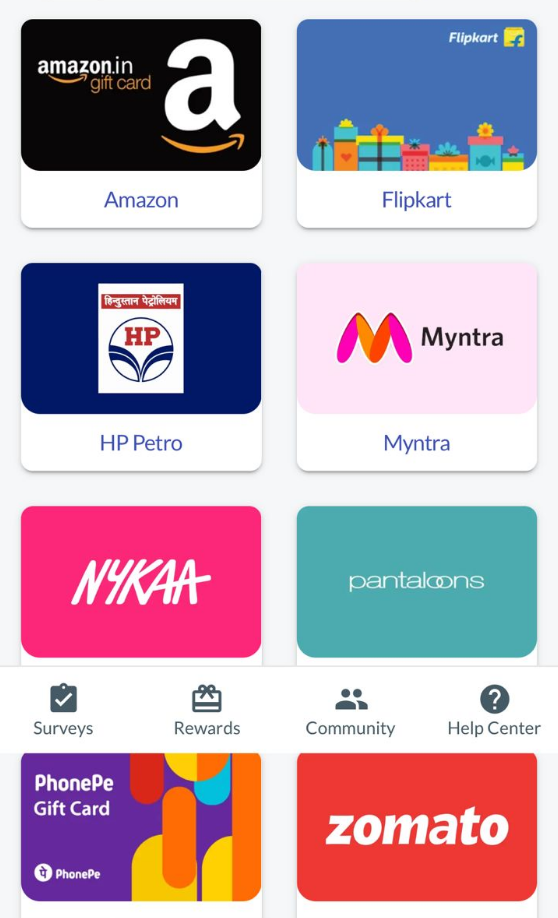
🛍️ E-Gift Cards (Best Value)
| Gift Card | Points Required | Value |
|---|---|---|
| Amazon.in | 330 points | ₹300 voucher |
| Amazon.in | 550 points | ₹500 voucher |
| Flipkart | 550 points | ₹500 voucher |
| Nykaa | 550 points | ₹500 voucher |
| Myntra | 275 points | ₹250 voucher |
| Myntra | 550 points | ₹500 voucher |
| Pantaloons | 275 points | ₹250 voucher |
| Pantaloons | 550 points | ₹500 voucher |
| Zomato | 550 points | ₹500 voucher |
| HP Petro | 275 points | ₹250 fuel voucher |
| HP Petro | 550 points | ₹500 fuel voucher |
| PhonePe | 550 points | ₹500 wallet cash |
💵 PayPal Cash
| Points Required | You Get |
|---|---|
| 806 points | $10 USD (approx ₹830) |
| 1611 points | $20 USD (approx ₹1660) |
❤️ Charity Donations
Want to give back? You can donate to:
- UNICEF
- Indian Red Cross Society
- Smile Foundation
| Donation Amount | Points Required |
|---|---|
| ₹100 | 110 points |
| ₹300 | 330 points |
| ₹500 | 550 points |
| ₹1000 | 1100 points |
How to Redeem Your Points (Step by Step)
For Amazon/Flipkart/Nykaa/etc. Gift Cards:
- Go to the Redeem section in your LifePoints dashboard
- Choose your preferred gift card (Amazon, Flipkart, Nykaa, etc.)
- Confirm your redemption
- Wait 3-4 days—the voucher code arrives via email
- Go to Amazon.in (or whichever site)
- Add items to your cart
- At checkout, enter the gift card code
- The balance applies automatically—pay nothing!
For PayPal Cash:
- Select PayPal from the rewards page
- Enter your PayPal email address
- Points convert to USD in your PayPal account
- Withdraw to your Indian bank account
Pro Tip: Gift Cards Give Better Value
Notice the difference:
- 550 points = ₹500 gift card
- 806 points = $10 PayPal (about ₹830, but you need more points)
If you were planning to shop anyway, always choose gift cards. Your points go further.
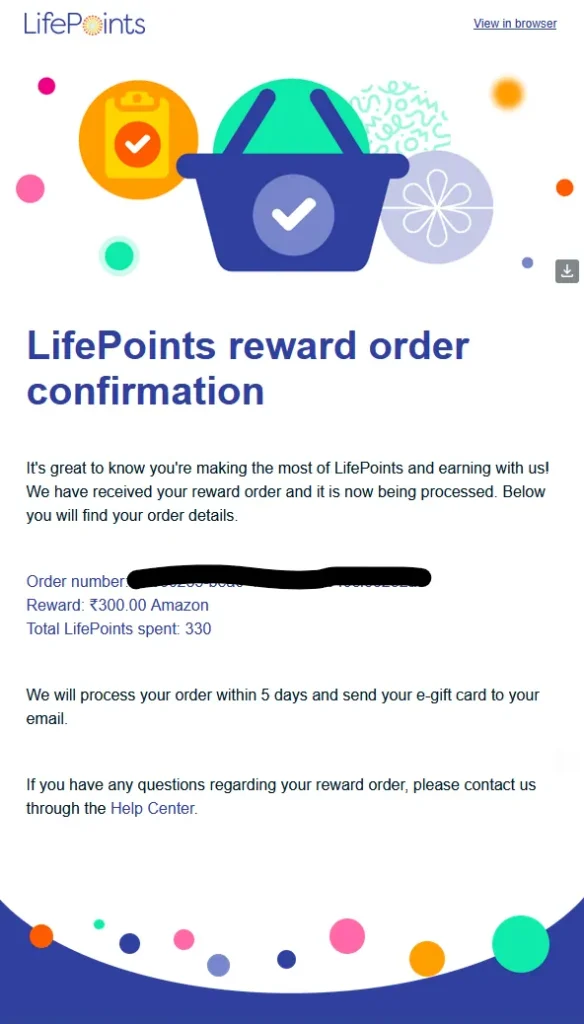
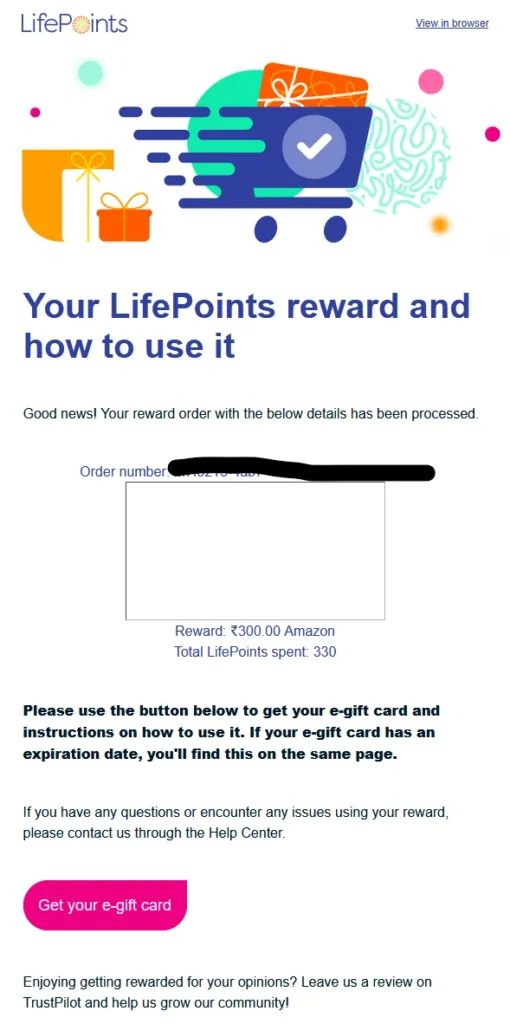
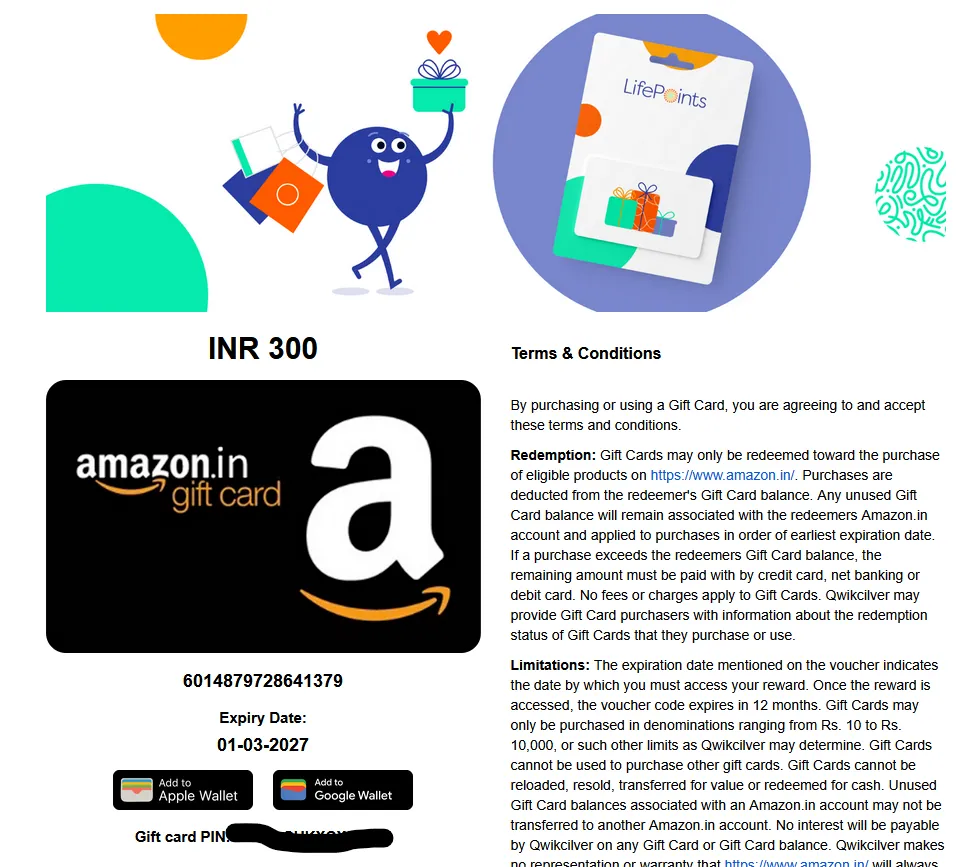
PROOF
Redeemption Confirmation Mail ScreenShot
Amazon Voucher Link Mail ScreenShot
Amazon Voucher ScreenShot
Common Problems (And What to Do)
“The survey vanished before I could take it!”
Why it happens: Surveys have limited slots. By the time you login, other members already filled the quota.
Fix: Click survey links as soon as you get the email. Don’t wait.
“I got disconnected in the middle of a survey!”
Why it happens:
- You gave answers that didn’t match your profile
- The survey reached its maximum responses
- Technical glitch
Fix: Be consistent with your answers. If it happens repeatedly, contact support.
“My points aren’t showing up!”
Fix: Wait 24 hours (sometimes there’s a delay). If still missing, contact LifePoints support through the Help Center.
How to Contact LifePoints Support
Need help? Here’s how to reach them:
- Log in to your dashboard
- Click Help Center at the top
- Click Privacy (yes, sounds weird, but this is where the contact option lives)
- Click Send us a note
- Choose your topic from the dropdown:
- Surveys
- Points
- Rewards
- Privacy
- Registration
- Unsubscribe
- Write your message and send
To track your request: Go to “My Requests” in the Help Center to see status updates.
LifePoints Community & Social Media
LifePoints runs fun contests on social media where you can win extra rewards worth up to $50. They’re active on Facebook and Instagram, often running photo contests or quick polls.
In March alone, they launched two new community initiatives—so it’s worth following them.
How to Delete Your LifePoints Account (If You Really Want To)
Honestly? I’d suggest not deleting it—it’s a solid platform. But if you must:
- Login to your dashboard
- Click Help Center (top of page)
- Click Privacy
- Click Send us a note
- Select Data Request from the options
- Complete the form and submit
Processing takes about 30 days. During this time, your account will be deactivated.
Final Verdict: Is LifePoints Worth It in India?
Short answer: Yes.
Long answer: Look, you’re not going to quit your job and become a crorepati from surveys. But if you have 15 minutes during lunch, while commuting, or while watching TV, you can easily earn ₹1500-₹3000 worth of vouchers every month.
The platform is legit (Kantar has been around since 1946). The rewards are actually useful (Amazon, Flipkart, Nykaa, PhonePe, Zomato—all things we use daily). And the payout threshold is low enough that you’re not waiting forever to see results.
My suggestion? Sign up, complete your profile honestly, check your email regularly, and let those Amazon vouchers pile up.
Rating: 4.2/5 – Highly recommended for casual earners in India.
Related Posts You Might Like
- Complete Guide to LifePoints India
- Ysense Survey Review – How To Earn Money From it
- AttaPoll Genuine Reviews Paid Survey App
- Rakuten Insight Filled Short Survey & Earn Rewards On Paytm,Amazon,Flipkart Voucher
- Panel Station Earn Money For Free by doing survey
- Lifepoints Review

Rishabh Sabarwal