How To Get Free Amazon Pay Vouchers from Daily Bing Searches (A Realistic Guide for India)
Let’s be honest: we’ve all seen those YouTube thumbnails promising a “₹5000 Amazon Voucher Trick!!” that usually lead to a dead end or a survey that asks for your life story. But what if I told there’s a legit, time-tested way to earn vouchers just by doing something you do anyway—searching the web?
If you’ve stumbled upon older articles (like the ones from 2016 talking about Freecharge, or the 2024 post already marked “Expired”), you might think this is old news or a scam. It’s not. The program is very much alive and well in India. It’s called Microsoft Rewards, and with the right expectations, it’s one of the most straightforward “get something for nothing” programs out there.
Let’s cut through the clutter and outdated info. Here’s how you can earn real Amazon Pay, Croma, Roblox even PVR GiftCards in India by simply searching with Bing.
First, Forget the Old Tricks (Seriously)
Before we dive into the “how,” a quick word of caution. Many older blog posts, including some you might find at the top of search results, suggest using VPNs to pretend you’re in the US to earn more points.
Do not do this.
It’s the fastest way to get your account permanently banned. Microsoft’s systems are smarter now, and as user comments on those old articles show, the VPN trick leads to suspended accounts and lost points. This guide is about the safe, sustainable way to earn.
What is Microsoft Rewards in 2026?
Think of it as a loyalty program for using Microsoft products. You earn “points” for using the Bing search engine and the Microsoft Edge browser. Once you’ve saved up enough points, you can swap them for gift vouchers. It’s that simple. There’s no catch, no spending money required, just your time and a slight change in your browsing habits.
Your Step-by-Step Guide to Earning
Here’s the current, working method for users in India:
1. Get the Right Tools
You don’t need anything special, but using the right combo maximises your earnings.
- Browser: Download and install Microsoft Edge on your computer and your phone. This is non-negotiable for the best results. It’s actually a pretty good browser these days, especially for watching videos.
- Account: Sign in with your personal Microsoft account (the same one you use for Outlook, Skype, or Xbox or Gmail).
2. Start Searching (The Main Event)
This is the core of the program.
- On your computer (desktop/laptop) , you can earn up to 90 points per day just by searching the web on Bing via Edge.
- On your mobile phone (using the Edge app), you can earn up to 60 points per day.
- Pro Tip: You don’t have to think of complex searches. Just use Bing as your default search engine for the day. Search for the news, a recipe, a movie showtime—whatever you would normally Google. The points add up automatically, Sometimes also bing will give you a chance to something like this which will gove you direct discount msg “Redeem before 1 Apr 2026 to use your 200 point coupon“!.
3. Don’t Ignore the “Bonus” Activities
Open the Edge browser and look for the rewards icon (it looks like a star). Clicking it will open your dashboard. Here, you’ll find a daily set of activities:
- Daily Polls & Quizzes: Quick one-click questions or simple quizzes about general knowledge. These take 30 seconds and give you easy points.
- Daily Set: A small collection of tasks that refresh every day. Just clicking through them is an easy way to boost your daily total.
By doing your searches and the daily click-activities, a user in India can easily earn 150-200 points per day.
Level Up: The Referral Program (The Real Earner)
Want to supercharge your points without searching more? The Microsoft Rewards referral program is where things get interesting. It’s simple: invite your friends, and you both benefit. Think of it as a friendship bonus.
Refer your friends to earn up to 7,500 points per month. The more your friends use Bing, the more you’ll earn! And they’ll get up to 1,260 bonus points after completing their Welcome Quest! (Standard terms apply).
Here’s the referal link to get started. Copy it and share it with friends, family, or in your WhatsApp groups and immediately earn 500 points, Or use it to create your first account adn get 500 points.
How the Referral Magic Works:
- STEP 1: Refer your friend. Send them your unique link from above to join Microsoft Rewards.
- STEP 2: What you get. You’ll earn 1 point for every 2 searches they make. It’s a fantastic way to rack up easy rewards while they earn their own points!
- STEP 3: What they get. Your friends aren’t left out. They score up to a 1,260 point bonus when they complete their Welcome Quest. It’s a win-win!
This is a game-changer. While you’re limited by your own daily searches, referrals have the potential to bring in thousands of extra points each month, drastically cutting down the time to your next voucher.
Microsoft Rewards Giftcards (Updated: 07/03/2026)
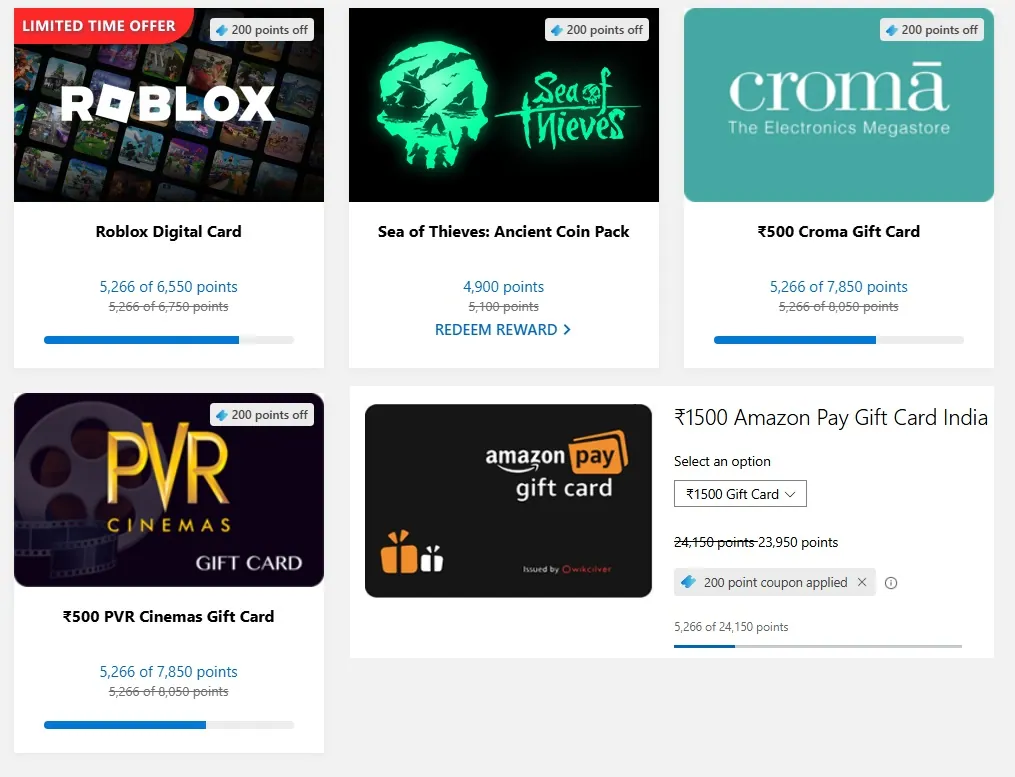
| REWARD NAME | POINTS | GIFTCARD AMOUNT |
|---|---|---|
| Roblox Digital Card | 6750/13000/16250 | 400/800/1000 Robux |
| Lost Chest of the Ancients | 5,100 | ₹550 Coins |
| Croma Gift Card | 8,050 | ₹500 |
| PVR Cinemas Gift Card | 8,050 | ₹500 |
| Amazon Pay Gift Card India | 24,150 | ₹1500 |
| Amazon Pay Gift Card India | 32,200 | ₹2000 |
| Amazon Pay Gift Card India | 40,250 | ₹2500 |
| Amazon Pay Gift Card India | 80,500 | ₹5000 |
So, How Long Until the Free Amazon GiftCard/Voucher?
This is where realistic expectations come in. Forget the “get ₹5000 overnight” nonsense. Let’s look at the real numbers:
A ₹1500 Amazon Pay Voucher or Giftcard currently requires around 24,150 points.
- If you earn a steady 175 points per day, you’re looking at approximately 2-3 months to earn a ₹1500 voucher.
Yes, it takes a little time and consistency. But think of it this way: you’re getting paid in gift vouchers for doing your normal online searches. It’s like finding loose change in your couch cushions, but every day.
How to Redeem Your Hard-Earned Points
Once you’ve hit that point goal, cashing out is easy:
- Go to the Microsoft Rewards dashboard on Edge.
- Click on the “Redeem” tab.
- You’ll see a list of available vouchers for India. Look for Amazon Giftcard, Roblox, Lost Chest, PVR, or Croma.
- Click “Redeem” on your chosen voucher.
- You’ll receive a unique code via email and it will also be stored in your Microsoft account. Just copy the code, go to the Amazon website/app, and add it to your gift card balance. Simple!
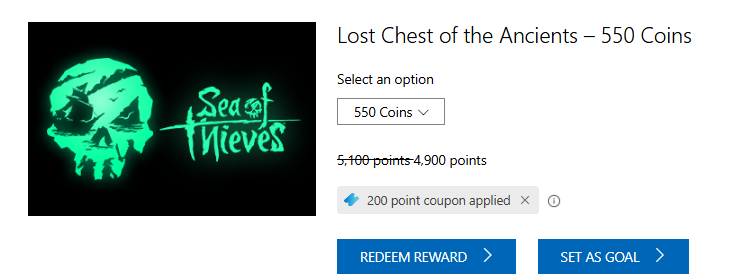
Proofs
- Microsoft Rewards Redeemption Mail proof from bing
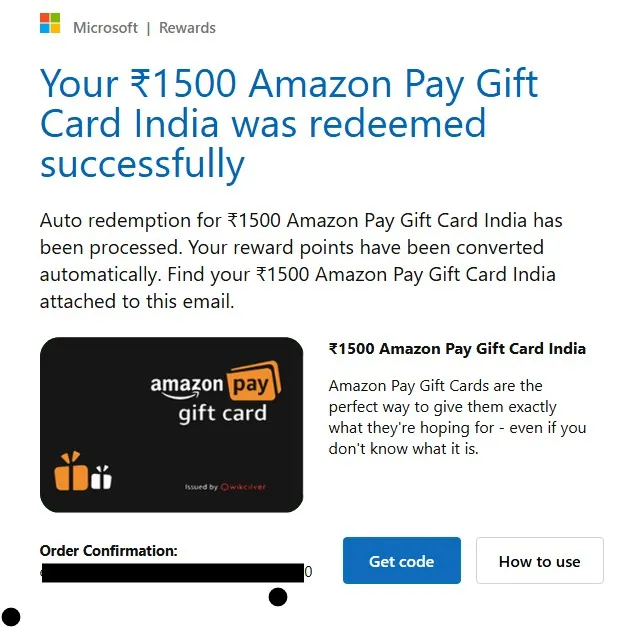
2. Microsoft Rewards Amazon Giftcard Mail proof from bing
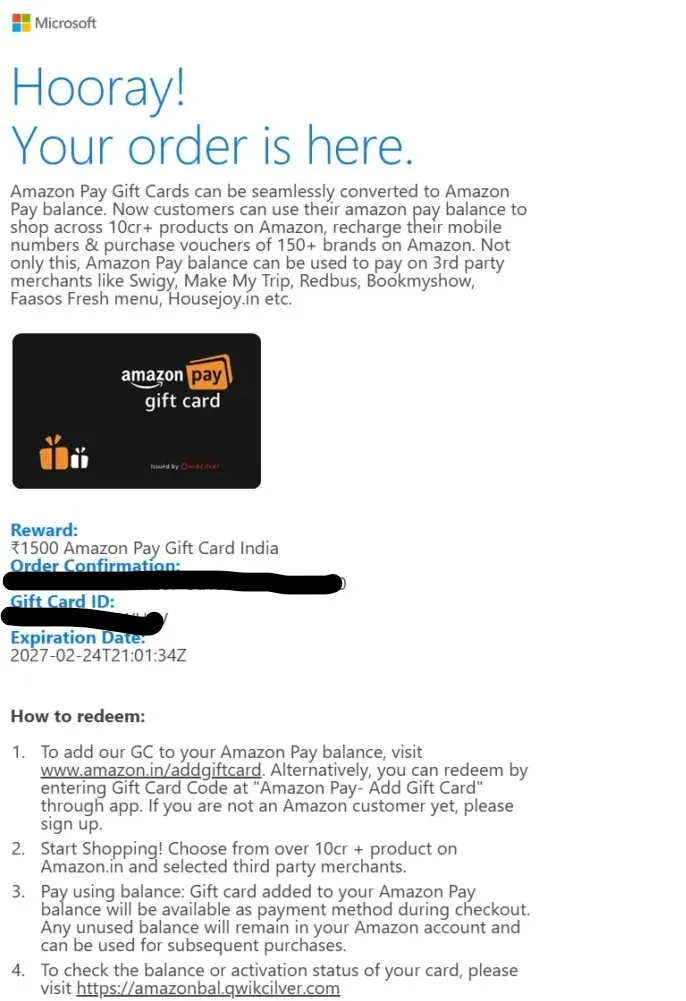
The Bottom Line: Is It Worth It?
Yes, absolutely. The competitor articles you might find are either outdated (promising offers that no longer exist) or encourage risky behaviour (like VPNs) that gets you banned.
This method is the legitimate, official way. It won’t make you rich, but it will give you guilt-free movie tickets or a discount on your next Amazon order just for being a little more intentional about your daily searches.
So, download Microsoft Edge, make Bing your friend, and start your slow and steady journey to free vouchers. The secret isn’t a trick—it’s just showing up every day.
Also Read: LifePoints Review
Frequently Asked Questions
Q: Is this really free?
A: 100% free. You just need a Microsoft account and the willingness to use Bing and Edge.
Q: I tried this years ago and it didn’t work. What changed?
A: The program has evolved. The partnership with Freecharge (mentioned in very old articles) ended long ago. Today, it’s directly integrated into Edge and offers popular vouchers like Amazon Pay.
Q: Can I use this on my phone and computer?
A: Yes! In fact, you should. You get separate point limits for PC searches and mobile searches, so using both will help you reach your goal faster.

admin